
What do I need before starting?
A phone, the LINE account you normally use (plus Telegram if you want it), and a computer. A computer makes copy and paste much less error-prone.
Can I share these values with anyone?
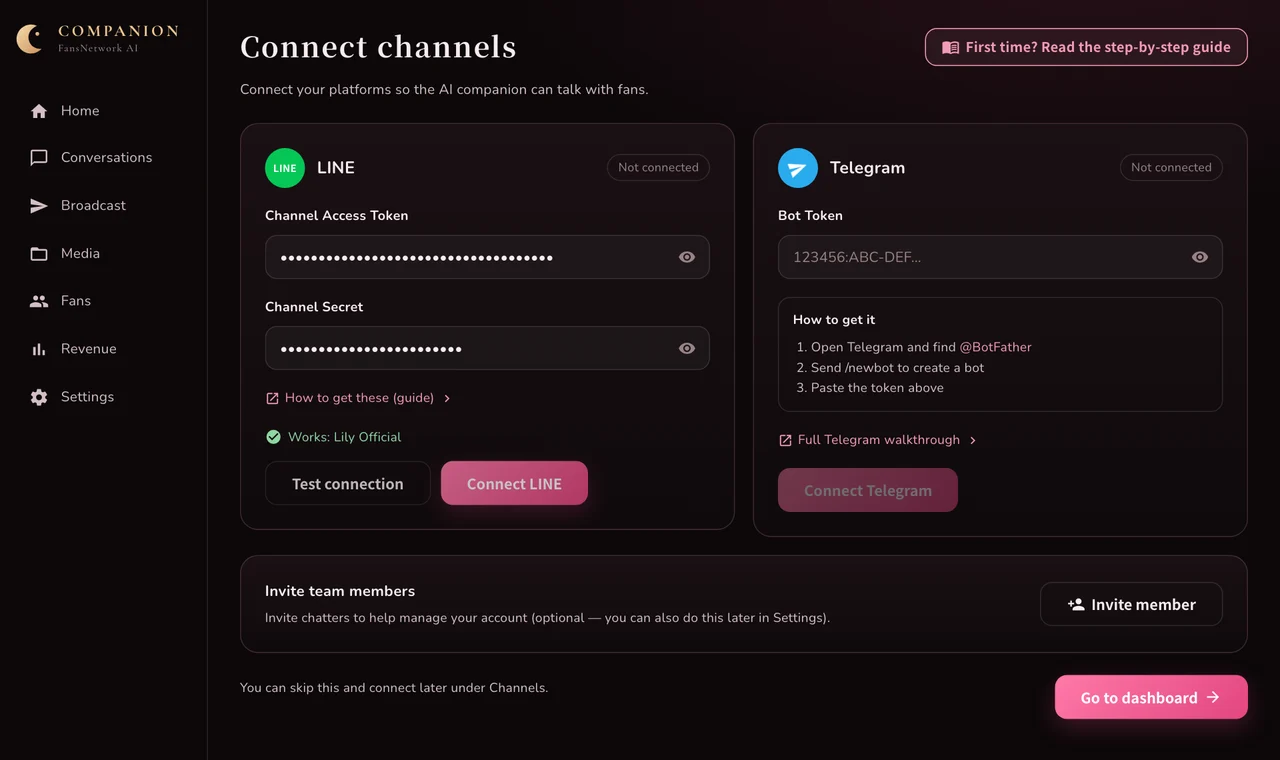
No. Anyone holding them can send messages as you. Paste them only into the FansNetwork dashboard.
What if I get stuck?
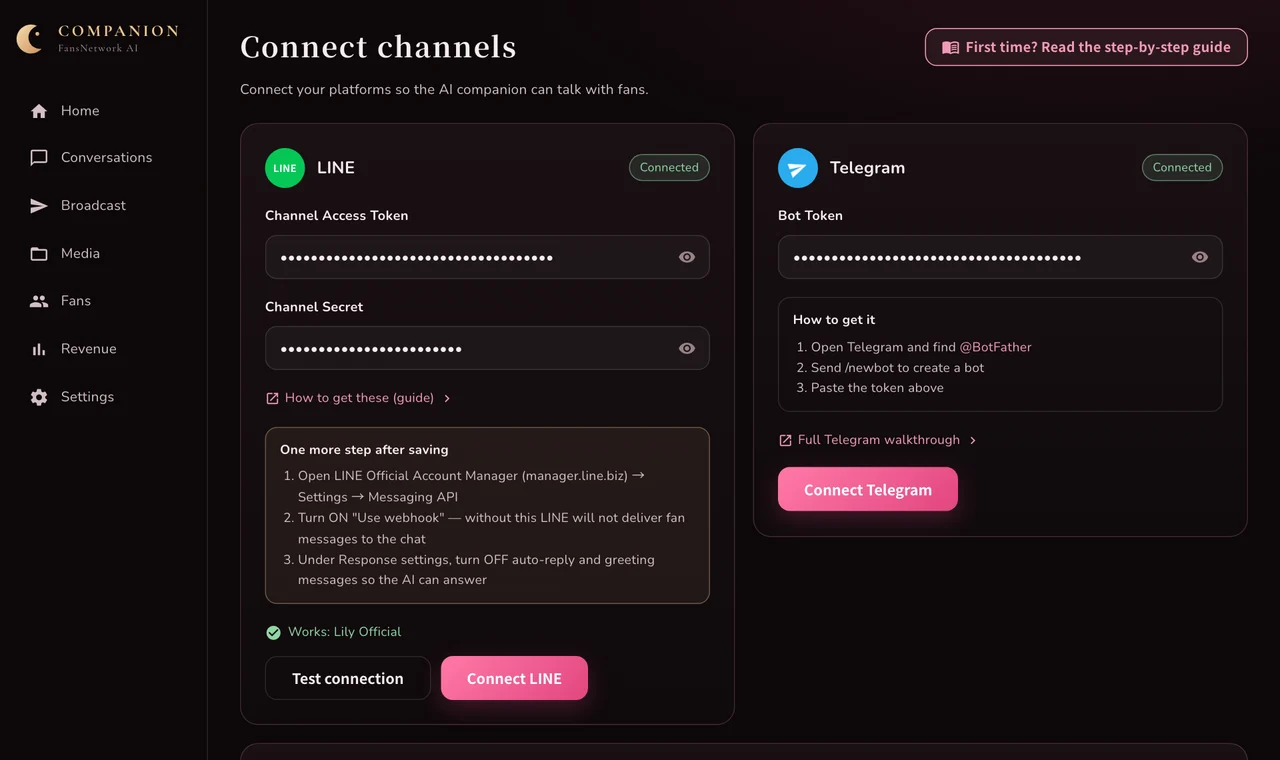
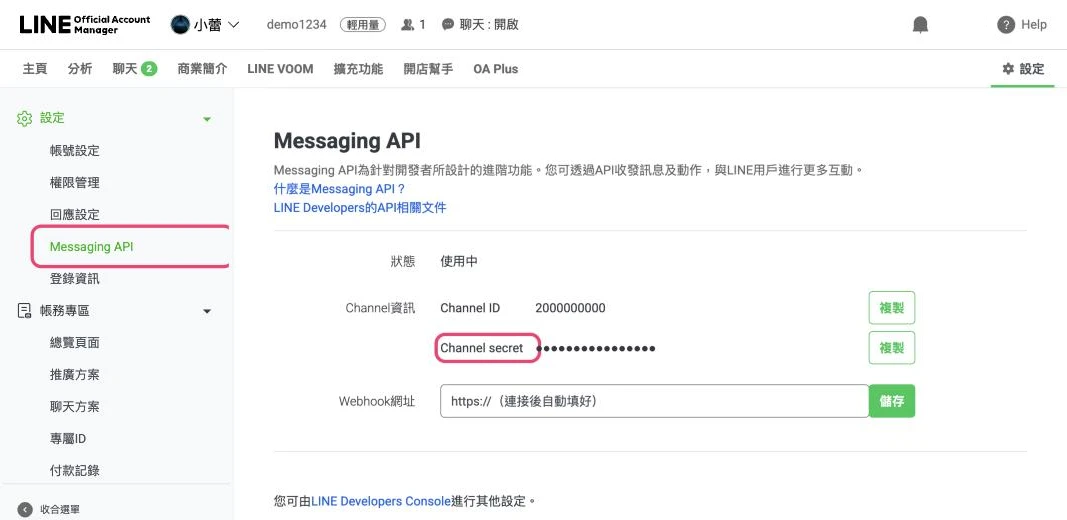
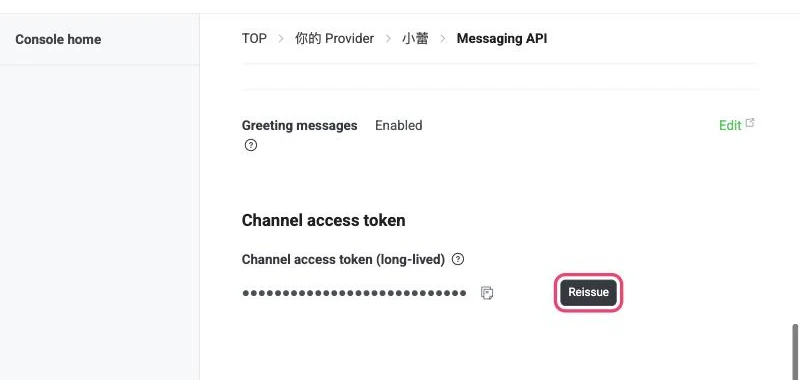
Test connection fails: the Channel access token is incomplete; copy it again in step 6.
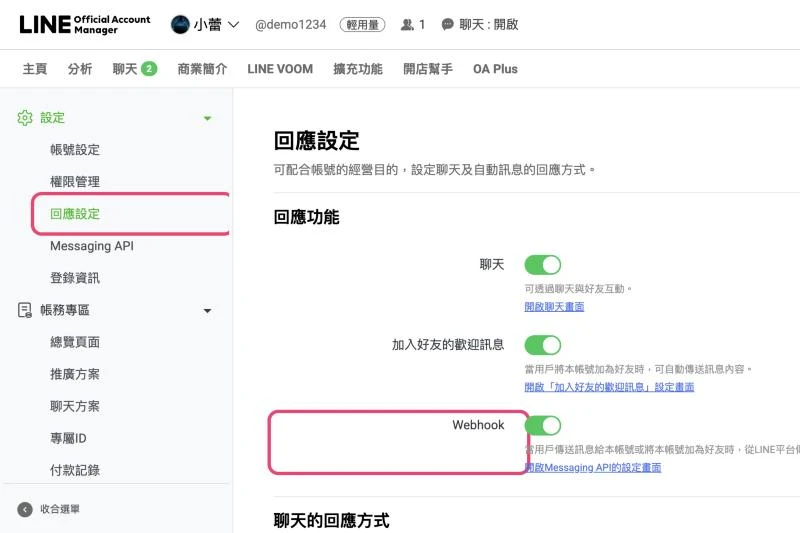
Connected but no messages arrive: go back to step 8, the webhook is off.
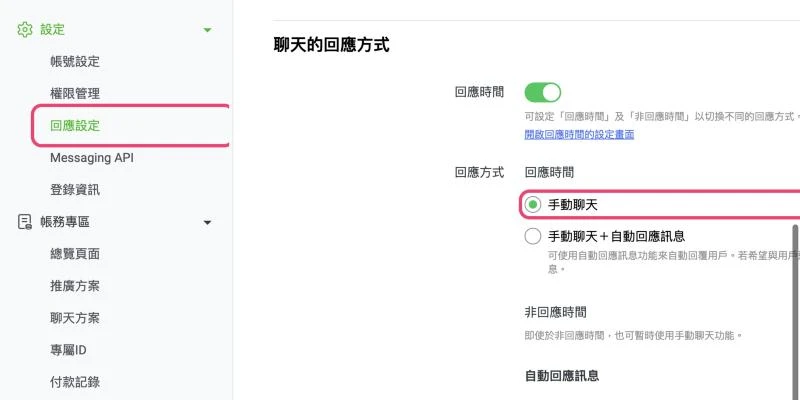
Fans get two replies: go back to step 9 and choose manual chat.
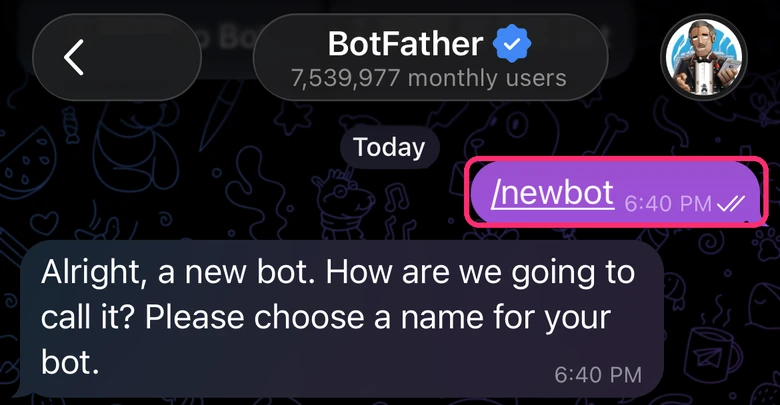
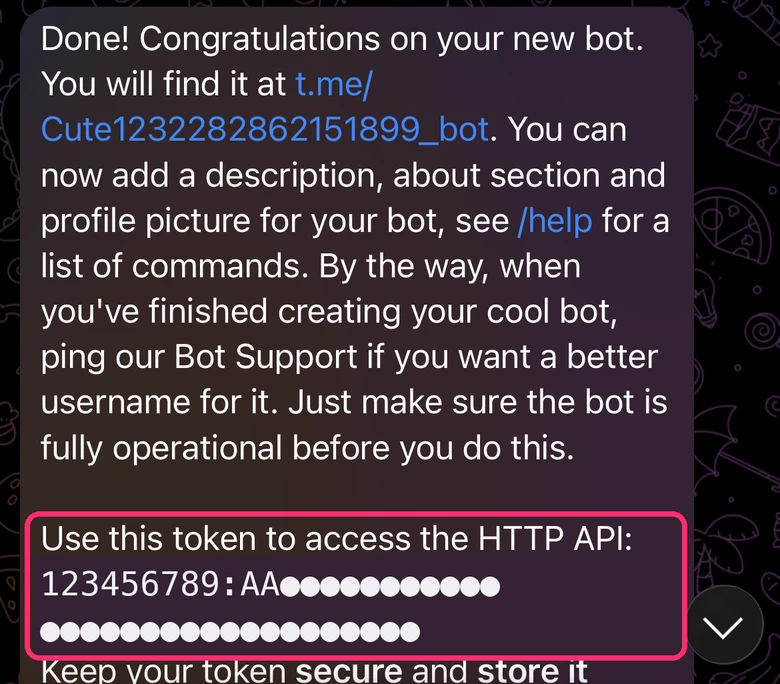
Telegram says the token is invalid: copy all of it, including the digits before the colon.
Want the buttons the AI sends to open right inside LINE and recognise fans? After connecting LINE, create a LINE Login channel.
What if a value leaks?
LINE: choose Reissue in step 6; the old token stops working. Paste the new one into the dashboard and connect again.
Telegram: send /revoke to @BotFather and paste the new token into the dashboard.