
What do I need to stream inside LINE?
A phone (iPhone or Android), the latest LINE app, and a stable connection, ideally Wi-Fi. Host access is enabled by the FansNetwork team. Once enabled, enter from your companion room and choose a video stream, or a voice stream where a character animation is on screen while you talk. Viewers only tap a link in LINE or Telegram.
Test go-live vs. real go-live
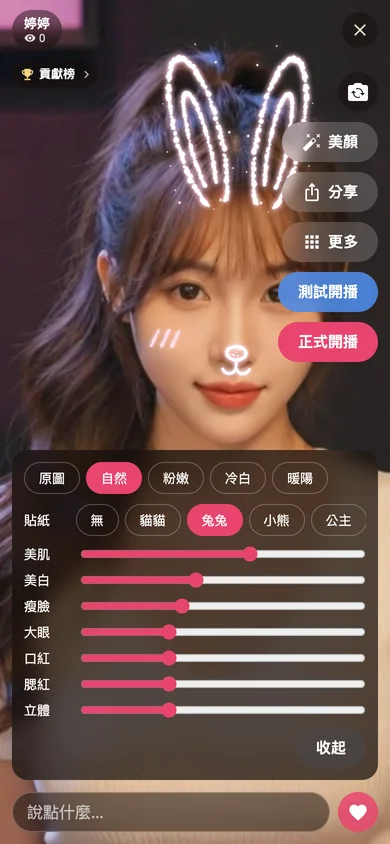
"Test live" opens a private test room: only people with the test link can enter, no fans are notified, and gifts are off, so it is perfect for checking light, audio and beauty settings. When you are happy, press "Go live". A real stream notifies, via LINE and Telegram, fans who interacted in the last 30 days plus everyone who asked for a reminder, at most once every 3 hours per companion.
Beauty filters and face stickers
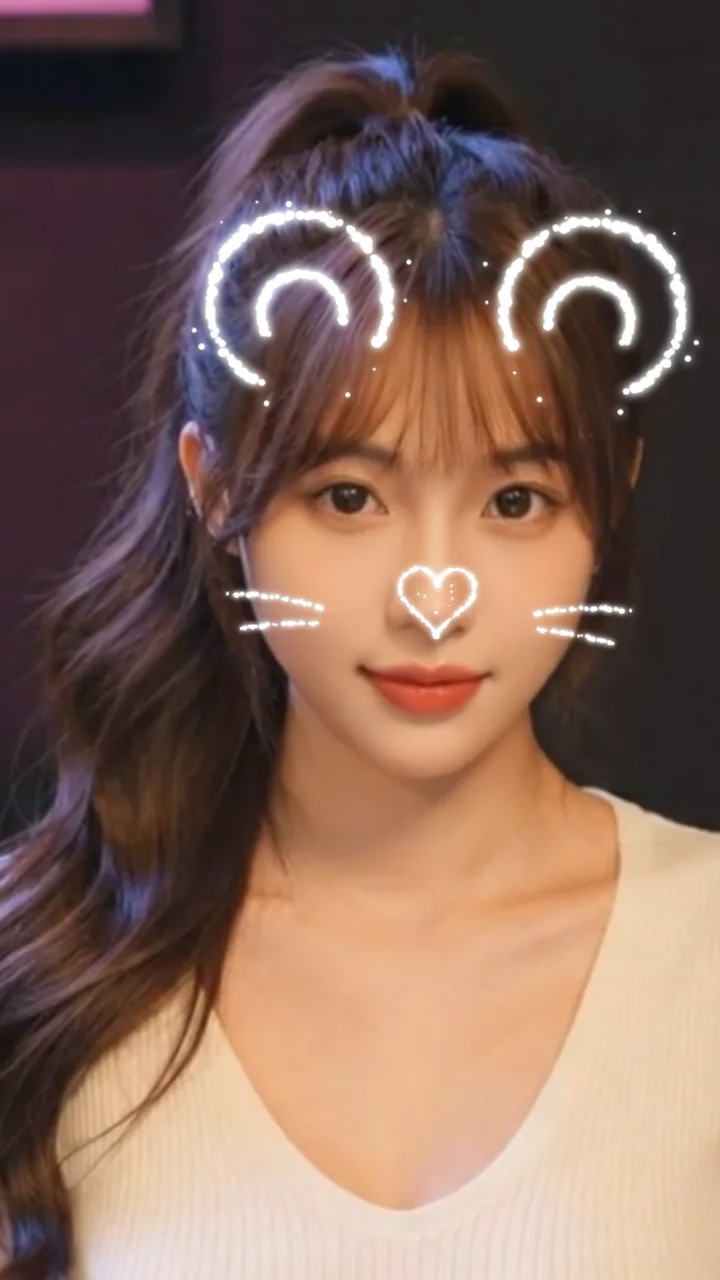
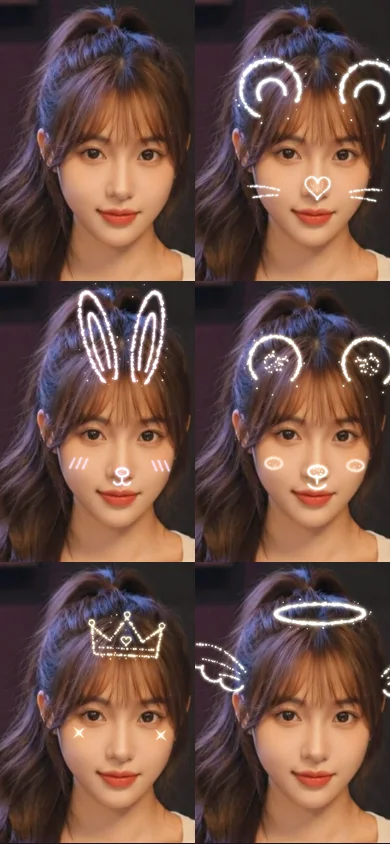
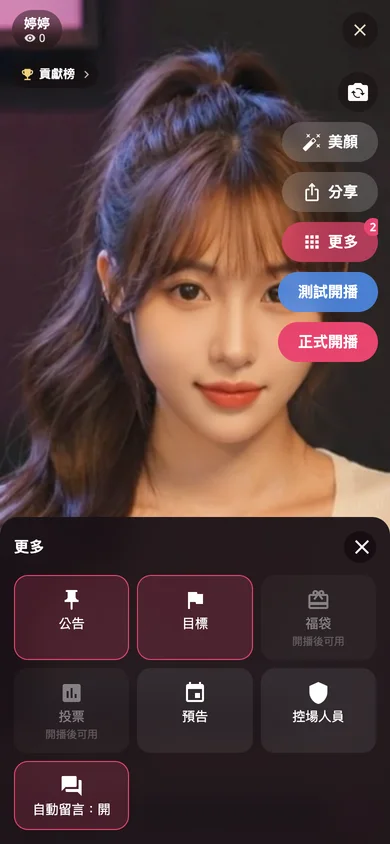
During a video stream, tap "Beauty" to adjust smoothing, brightening, face slimming, bigger eyes, lipstick, blush and contour, plus a few color filters. The "Sticker" row adds kitty, bunny, bear, princess or angel stickers that follow your face, with ears and wings that move naturally. Settings are remembered on your phone. On older phones that heat up, quality steps down automatically to keep the stream smooth.
Can I announce my next stream?
Yes. Open "More" and choose "Schedule" to set the next start time and a short title. Fans see it on the offline screen and can tap "Remind me"; when you really go live they get a notification on LINE or Telegram.
Interactive tools while live
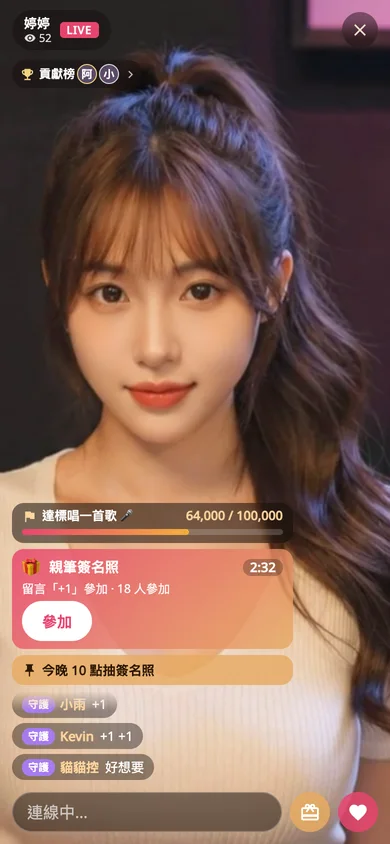
Under "More": Pin keeps an announcement above the chat, visible to latecomers too. Goal sets a coin target and what you will do when it is reached; the progress bar updates with every gift and the room celebrates when it fills. Giveaway takes a prize, an entry keyword, a duration and a number of winners; viewers join by commenting the keyword or tapping Join, and the draw happens automatically. Poll offers 2 to 4 options, one vote per person, changeable until the timer ends.
Giveaway ground rules
Giveaways are always free to enter and never require a gift, so please do not hint otherwise on stream. Describe the prize clearly and contact winners afterwards: in the Portal, open "Live Streams" and tap a winner's name to open your chat with them. Winners of real streams also receive a LINE message.
What can moderators do?
Tap any viewer comment and choose "Make moderator". They can then mute, unmute and remove people (removed viewers cannot return for 24 hours), and set the pinned announcement. Moderators cannot start streams, run giveaways, set goals, or act on you or other moderators. Every action is logged and visible in the Portal.
Gifts, combos and the leaderboard
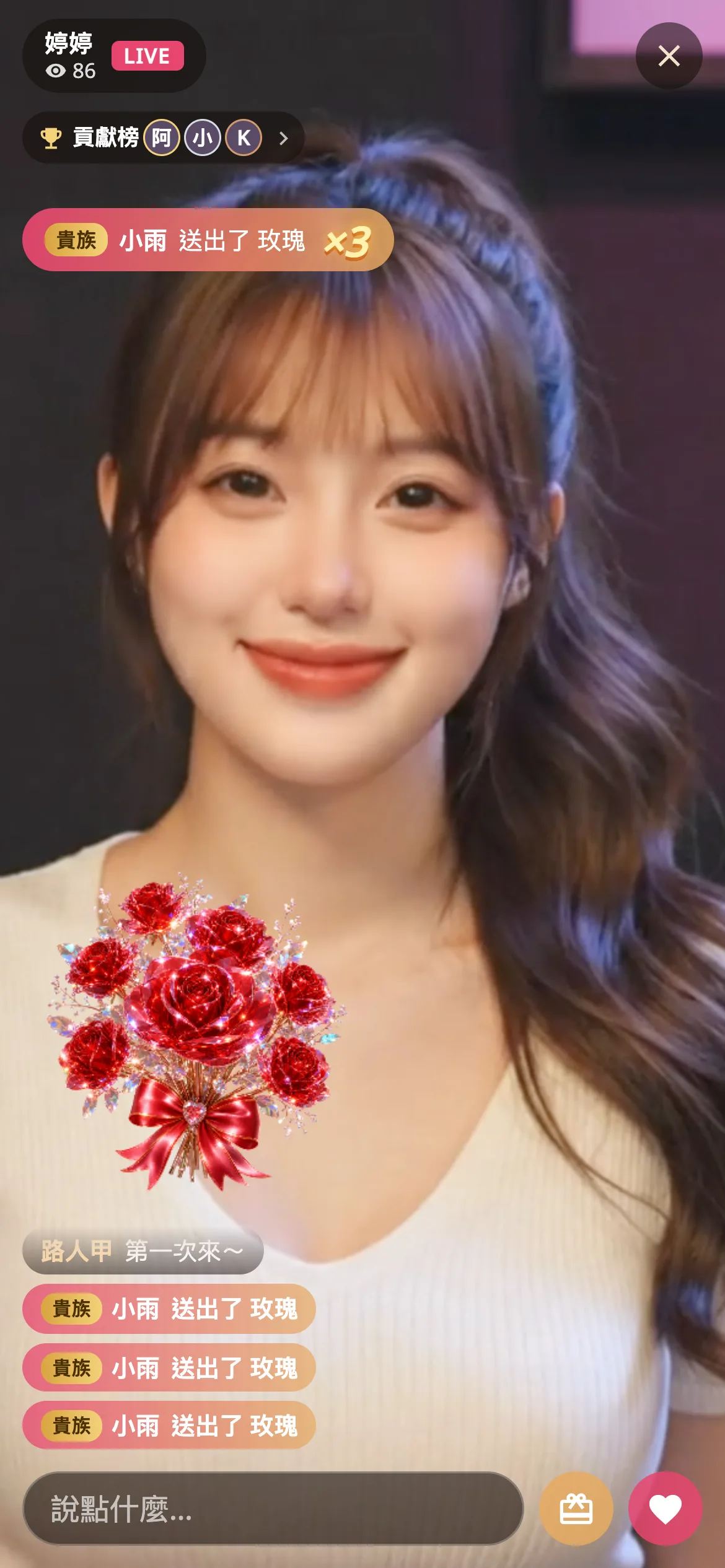
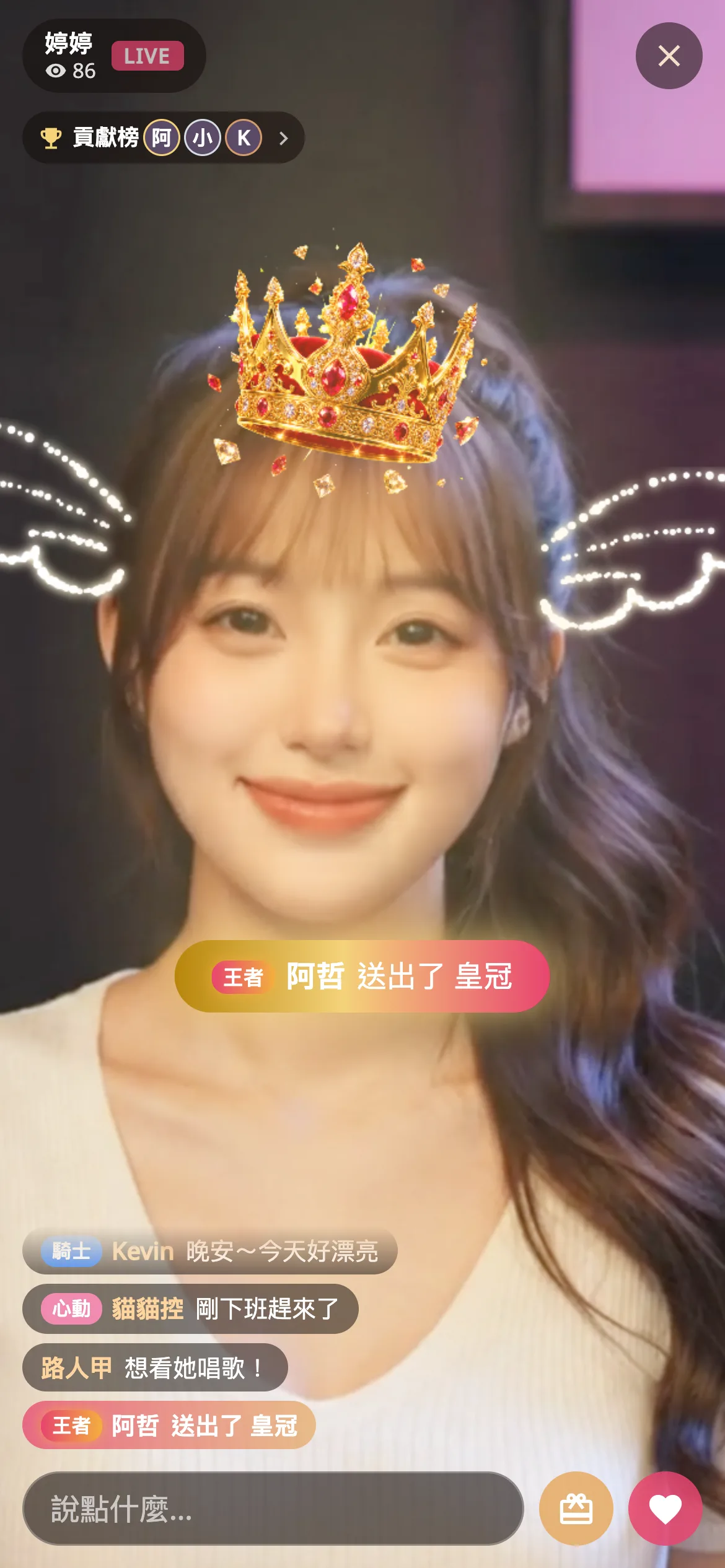
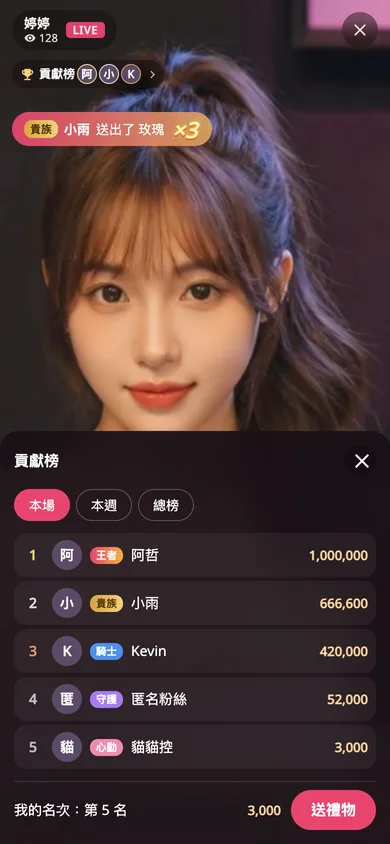
When someone sends a gift, the animation and sound play for the whole room; repeat gifts from the same person show ×2, ×3 combos. Big gifts also get a centered gold banner. The top-left leaderboard shows this stream, this week and all time. High-level supporters get a colored entrance banner when they join, so you can greet them by name. In a voice stream, the on-screen character reacts happily to gifts automatically.
Who is watching right now?
Tap the viewer count to see who is online, sorted by supporter level, with moderators marked. You or a moderator can tap a person to mute or remove them without hunting through the chat.
After you end the stream
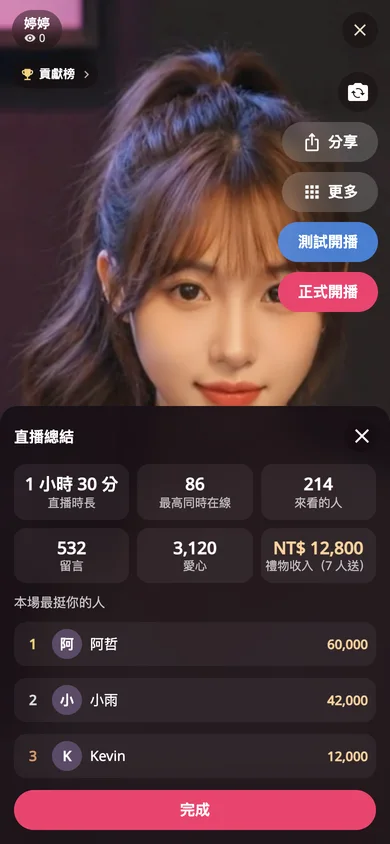
Pressing "End live" shows a recap: duration, peak viewers, total viewers, comments, hearts, gift income and your top three supporters. In the Portal, "Live Streams" lists every stream with its full chat, gift ranking, giveaway winners, poll results and moderation log.
Does the stream become part of the AI companion's memory?
Yes, as highlights only. During a real stream your speech is transcribed, and after you end it is condensed into a few points, such as news you shared, promises you made and your next stream time. When fans later chat privately with your AI companion, it can pick up on what happened in the stream and knows whether that fan was there. Test streams are not recorded, and companions with AI paused are skipped.
Troubleshooting
A viewer hears nothing: ask them to tap "Tap for sound"; LINE requires a tap before audio can play. Cannot connect or dropped mid-stream: switch networks, reopen the live page and go live again. Phone getting hot: quality drops automatically, and you can lower a few beauty sliders. For anything else, contact the FansNetwork team.